My Photo Backup Strategy
How to backup the gigabytes and terabytes of photos my family takes and ensure nothing ever gets lost, still have enough space on my PC and also keeping the cost down… the good news: it is possible!
I backup photos in three steps
1 - From iPhone to iCloud
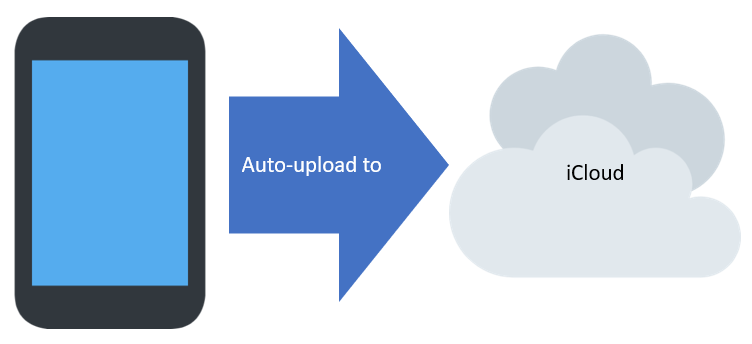 I am using Apple’s
iCloud service for my iPhones and we keep it to the $1/month plan at 50 Gigabytes (one plan for each iPhone). This means as I snap photos on my phone they are auto backed-up to the cloud. Great in case I accidentally slam a car door on a phone… which I have done before! :(
I am using Apple’s
iCloud service for my iPhones and we keep it to the $1/month plan at 50 Gigabytes (one plan for each iPhone). This means as I snap photos on my phone they are auto backed-up to the cloud. Great in case I accidentally slam a car door on a phone… which I have done before! :(
2- From iCloud to PC / Carbonite
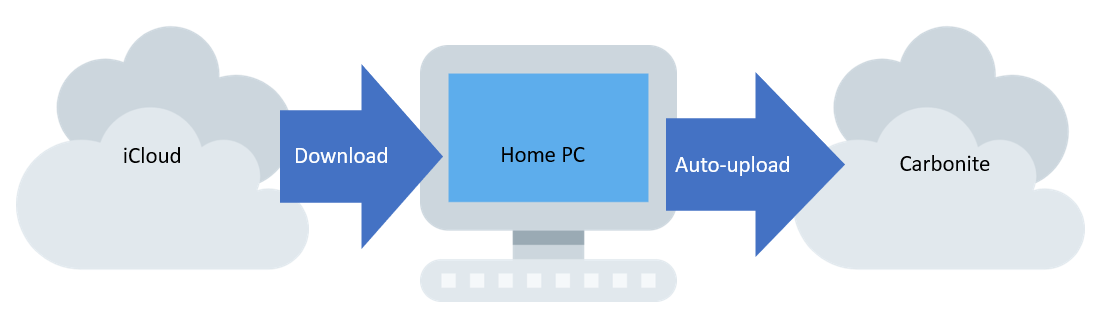 As the phone/iCloud space fills up I’ll go into the iCloud website to download and delete photos from iCloud - Apple only lets us download or delete 1000 photos as a time. A little annoying since it takes around 5 minutes to download each ~4 GB file of 1000 photos and about a minute to delete the same. But I do that 2-3 times and I’ve freed up enough space on my phone to be good for a few months.
Tip: Also, I tag my favorite photos on my iPhone as I come across them. And before I delete photos from iCloud I grab the favorites (which are saved into a folder in iCloud) and store those in Google Drive. That way I can easily access them from the cloud and for me it doesn’t take up too much space there.
The downloaded photos are then placed into a folder on my home PC that are then backed up by Carbonite to the cloud. I’m keeping a few hundred gigabytes on my PC/Carbonite that way. It costs about ~$70/yr for unlimited storage to the cloud. And this way any photos that go on the PC goes to the cloud. And anything I delete from the cloud also is removed from the PC. Since I don’t want to fill up my PC’s hard drive or keep adding drives - that’s where the last step comes in.
3 - From PC / Carbonite to external hard drives
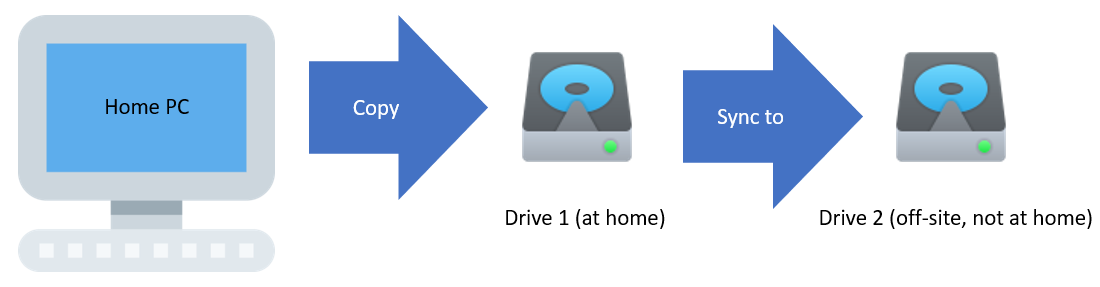 About every year or so I purge my home PC of photos (which are also removed from Carbonite) and place them onto two identical external hard drives. I copy the files onto one and then sync to the second one using a tool called
FreeFileSync. The first drive is stored at my home and the second is stored off-site in case of fire or who knows what (and maybe I should get a third). I never really access the drives unless I want to look into the archives or test they still work.
About every year or so I purge my home PC of photos (which are also removed from Carbonite) and place them onto two identical external hard drives. I copy the files onto one and then sync to the second one using a tool called
FreeFileSync. The first drive is stored at my home and the second is stored off-site in case of fire or who knows what (and maybe I should get a third). I never really access the drives unless I want to look into the archives or test they still work.
At the moment I am taking the approach that each new external drive has to hold all photos. I think I’m up to around 3GB in total of photos. A 6 TB external hard drive costs about ~$130, like this one. So the cost per TB isn’t too bad and decreases over time (in a few years a 12 TB drive may cost the same).
If I ramped up photos/file storage I supposed they could be split for example amoung two drives and then I’d want to duplicate those two drives having in total four, but I’m not there yet.